
See every bit
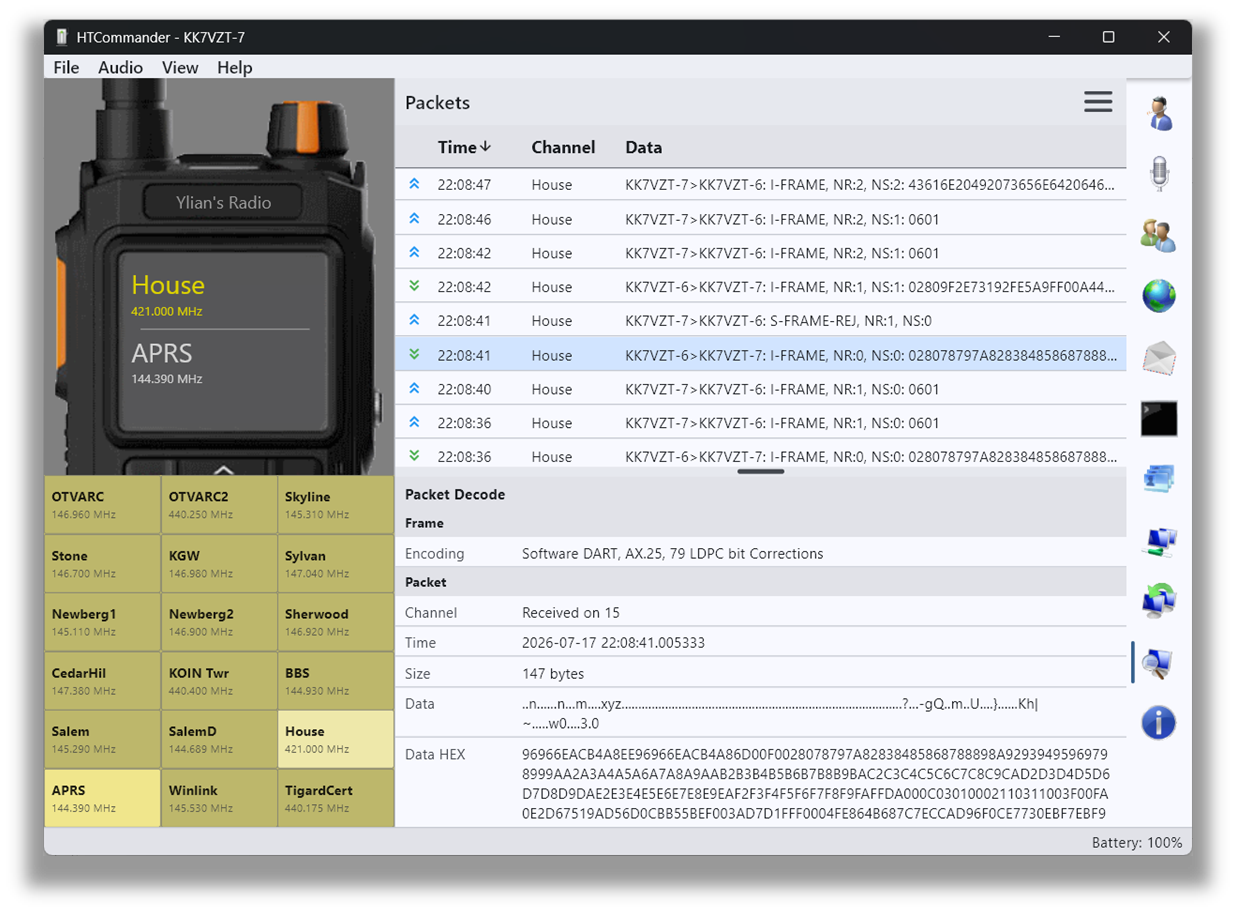
HTCommander has a built-in packet-capture feature that's great if you're a developer, or simply want a tool to decode packet-radio data and inspect every bit. The capture tab automatically shows all data sent and received and decodes it as best it can — raw packets are decoded into AX.25, and where possible APRS decoding is attempted too.
Inspect, select and save
Click a packet to see its full decode. You can also select a range of packets and save them to a separate file. From the three-line menu in the upper-right you can load a previously saved capture file, which opens in its own window.
Open, portable format
Captures are saved in a simple CSV format, so they're easy to read and process with other tools and applications.
Available on all platforms: Windows, macOS, Linux, iOS, Android and web.