
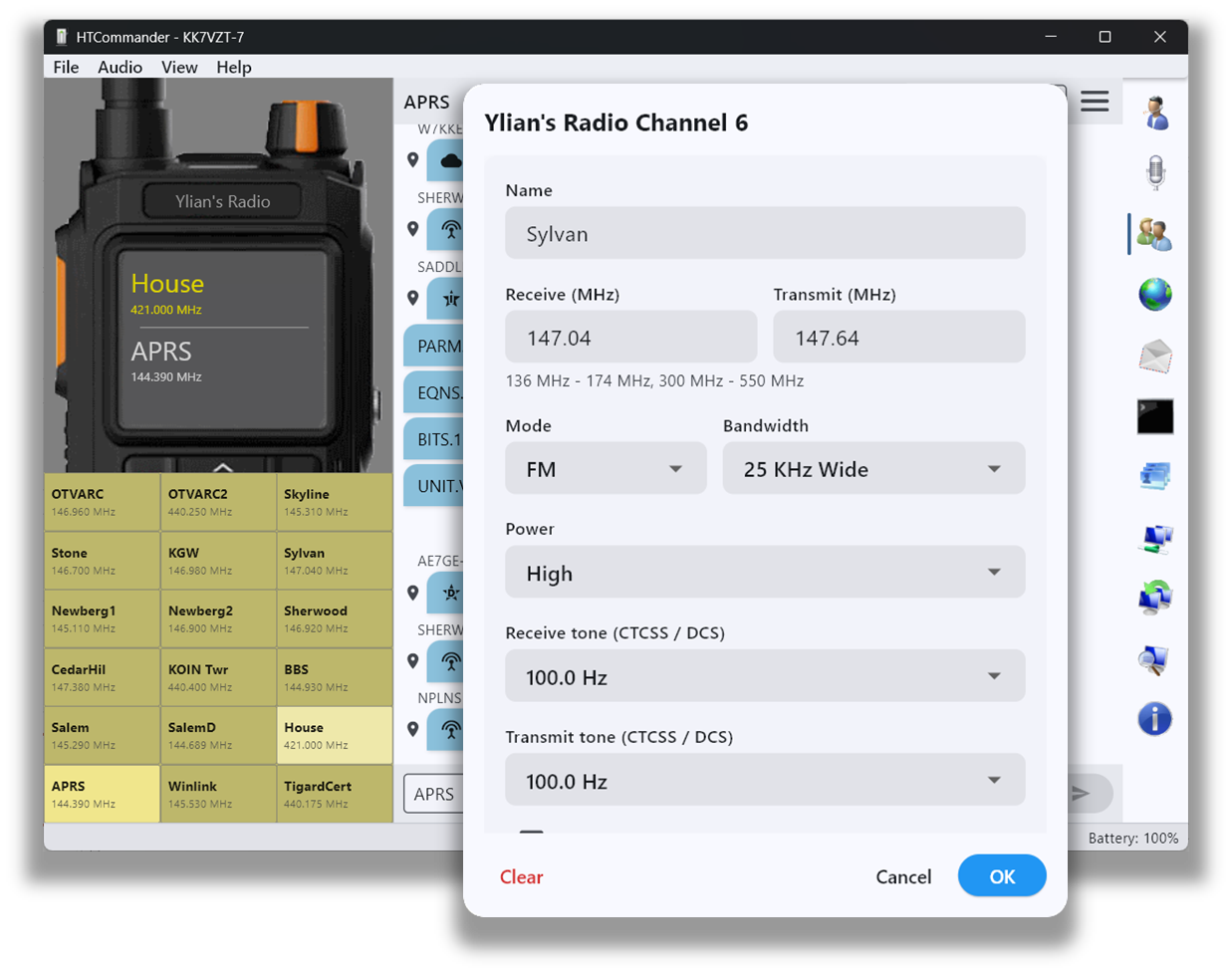
A memory bank you can actually manage
Keying a full channel plan into a handheld one digit at a time is slow and error-prone. HTCommander gives you a clean editor for every channel — name, receive and transmit frequencies, mode, bandwidth, power level and CTCSS/DCS tones — that mirrors exactly what the radio expects, so what you see is what the radio stores.
Import, export and drag & drop
From the Settings menu you can import and export channels. Exporting saves every channel currently displayed to a CSV file — in the widely-used CHIRP format or the format native to your radio — so your configuration is easy to back up, share or edit elsewhere.
When you import a channel list, a new window opens showing the imported channels. From there you simply drag & drop each entry into the position you want. You can rearrange, copy and push a full memory bank to the radio in seconds instead of programming each slot by hand.
At any time you can also drag and drop channels directly in the radio panel to reposition them. It makes controlling exactly how your channels are laid out fast and tactile.
Share a channel over the air
A channel in HTCommander isn't locked to your radio — it's something you can hand to someone else. Drag a channel out of the radio panel and drop it into the Comm or APRS tab, and HTCommander encodes it into a compact, self-checking text token that rides whatever transport the conversation uses: Bluetooth, the internet, or straight over the air.
On the receiving end the token is recognized and drawn as a tappable channel block. The other operator drags that block onto a slot in their own radio panel and it's programmed in one motion — no manual entry, no transcription errors. It's the fastest way to get a whole group onto the same simplex or repeater channel.
Curious how a whole channel fits into one short line of text? Read the deep dive: A Channel You Can Text: The Channel-Share String.
Available on all platforms: Windows, macOS, Linux, iOS, Android and web.