
Many-to-many file sharing over the air
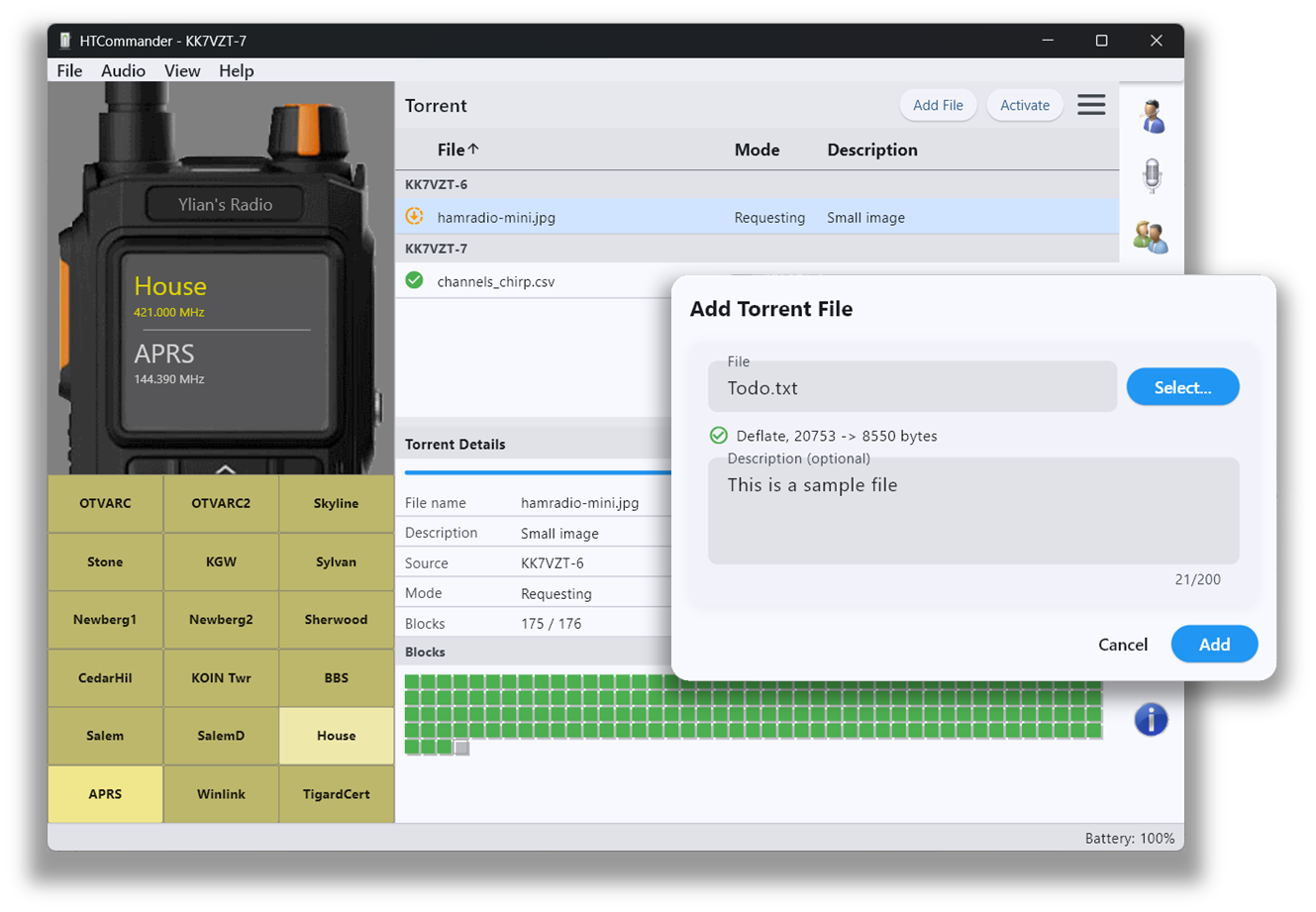
HTCommander has its own mini BitTorrent-style, many-to-many file-sharing system. It's unique to HTCommander, so to try it you'll need two or more radios running the app. Every frame is sent as one-to-many multicast, so many stations can participate at the same time.
How to use it
Select a clear frequency and hit Activate to lock the radio and turn on torrent mode. Add or drag & drop the files you want to share — you can attach a 200-character description to each. The protocol discovers other nodes on the frequency and trades file listings.
To download a file, right-click it and choose Request. While others are requesting files, your node automatically stores every received block and helps re-transmit blocks to the group. Once a file is fully downloaded, right-click it and choose Save As… to keep a copy.
Built for patience
This is still very experimental, with timing improvements on the way. 1200 baud isn't fast, but the system is designed to run on the radio for a long time — trading raw speed for the ability to feed a whole net from a single share instead of tying up the channel one link at a time.
Available on all platforms: Windows, macOS, Linux, iOS, Android and web.