
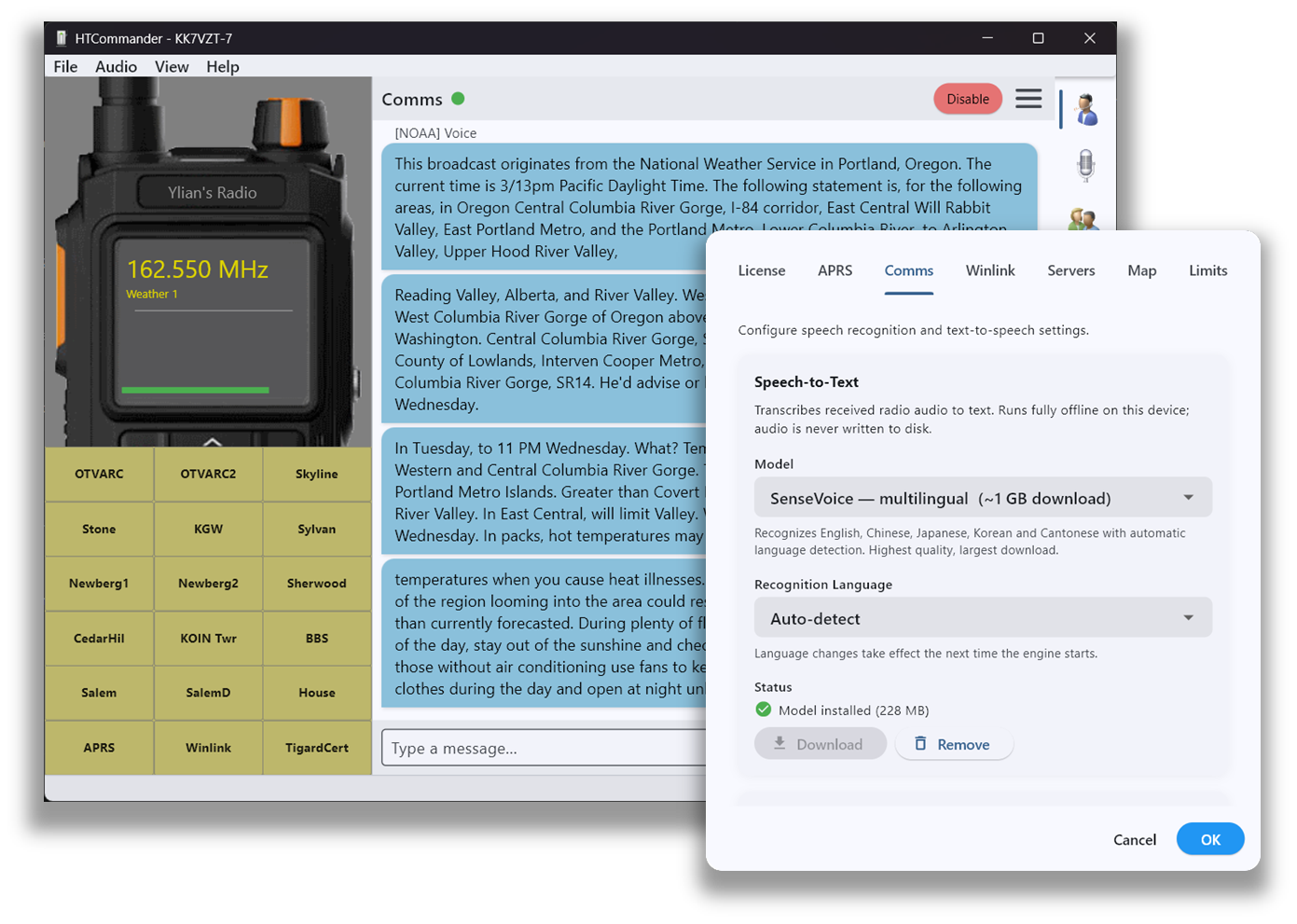
Whisper, running on your machine
HTCommander has built-in speech recognition powered by OpenAI's Whisper. Radio audio is run through a neural-network language model to convert it into text, and the results are impressive. A powerful CPU with AVX support is required, and everything runs locally — great for catching a busy net or a NOAA weather bulletin.
Pick the right model
From within HTCommander you can select and download a Whisper model. Larger models give better results but need more CPU power.
| Model | Size | Notes |
|---|---|---|
| Tiny | 77.7 MB | |
| Tiny.en | 77.7 MB | English only |
| Base | 148 MB | |
| Base.en | 148 MB | English only (recommended) |
| Small | 488 MB | |
| Small.en | 488 MB | English only |
| Medium | 1.53 GB | |
| Medium.en | 1.53 GB | English only |
The English-only models are best if you only listen to English; the regular models support a wide range of languages. You can help the model by selecting the language you'll be listening to in the Settings panel, which hints it to focus on that language.
When it runs, and talking back
Once enabled, voice recognition runs when the radio stops receiving a signal, or every 20 to 30 seconds. There's also text-to-speech using the Microsoft Speech API, so you can type a message and have it read on the air.
Available on desktop only: Windows, macOS and Linux.