
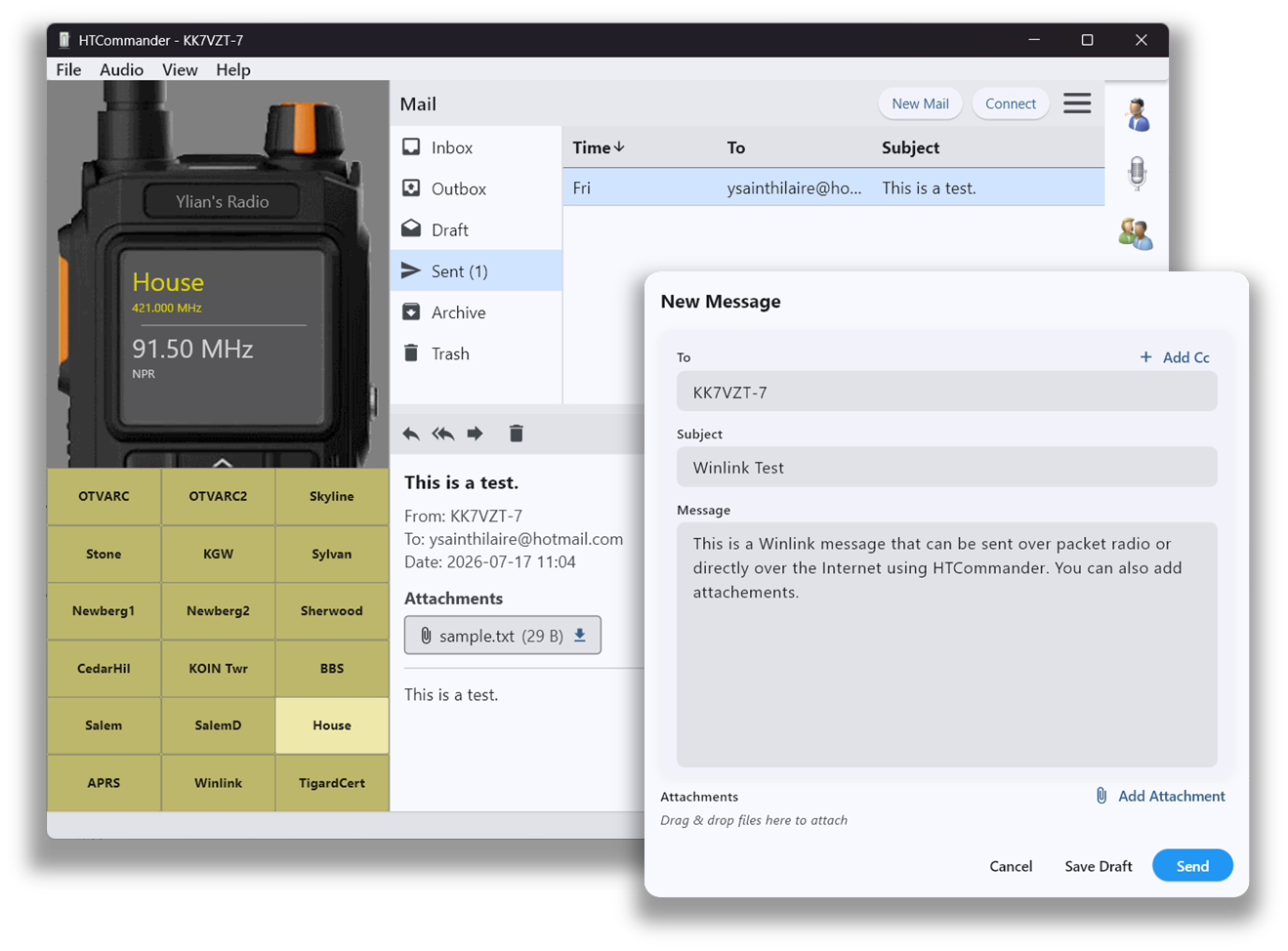
Email over the air
HTCommander has built-in support for Winlink. You can send and receive email by contacting any packet-radio email gateway. When you check or send mail, the radio switches to the gateway's frequency, syncs up, and returns to your channel when it's done — all automatically.
Compose and read messages right inside the app with a familiar inbox, outbox and compose window. Attachments are fully supported: add them, save them, or drag & drop them straight into a message to make authoring easy.
Getting set up
To use this feature, set up your Winlink account at Winlink.org and find your nearest gateway. Then enter your Winlink password in the HTCommander settings panel so it can authenticate correctly.
Available on all platforms: Windows, macOS, Linux, iOS, Android and web. Keep your Winlink contacts in the shared address book.